13. Using the SafeQuard for Outlook Solution (Deprecated Version)
Note
Currently available on windows desktop app and web. Limited support for mobile devices (iOS/iPadOS/Android).
13.1. Encryption
Compose New Mail
Select Insert > Click SafeQuard for Outlook
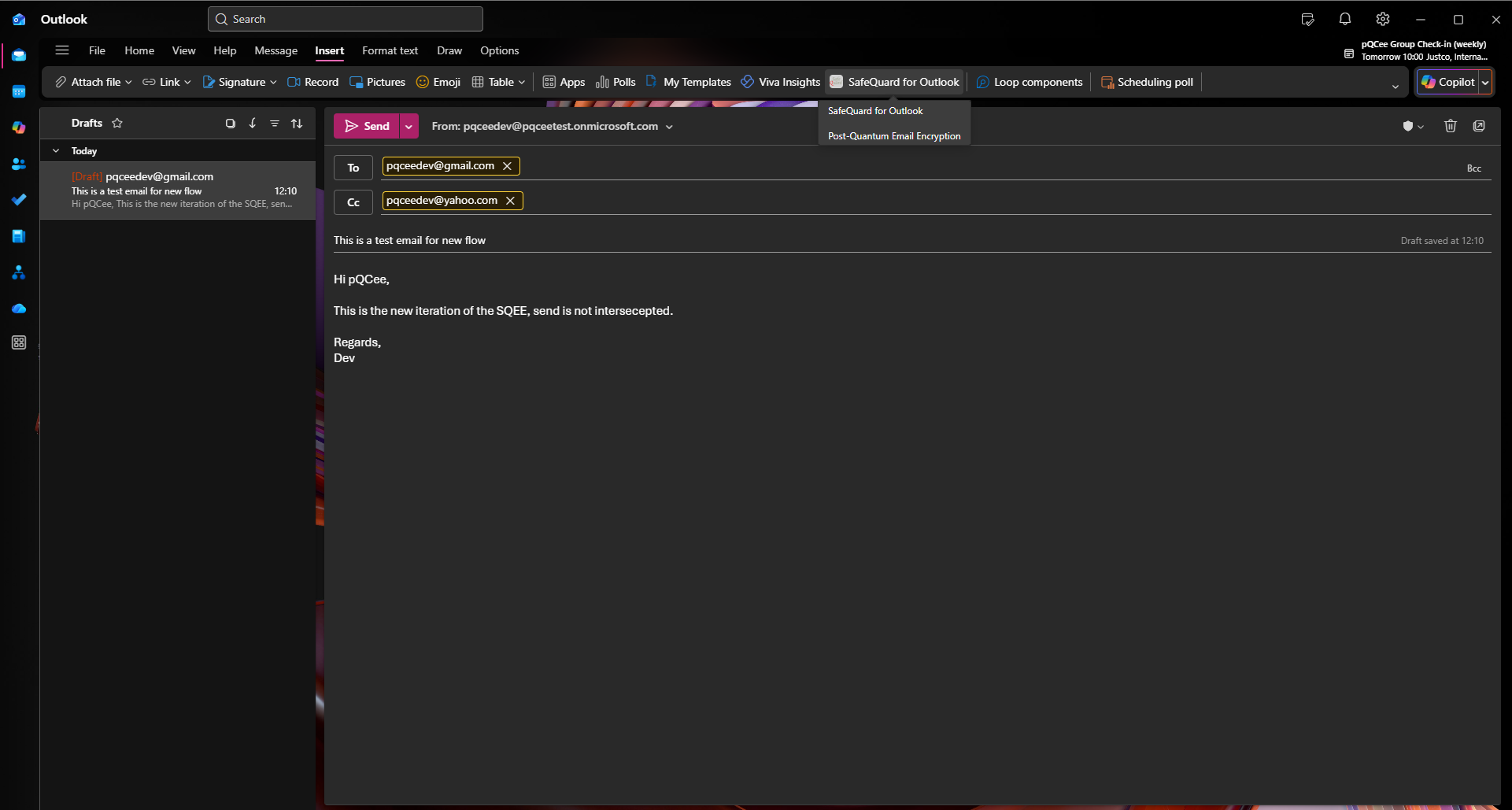
Select your encryption functions
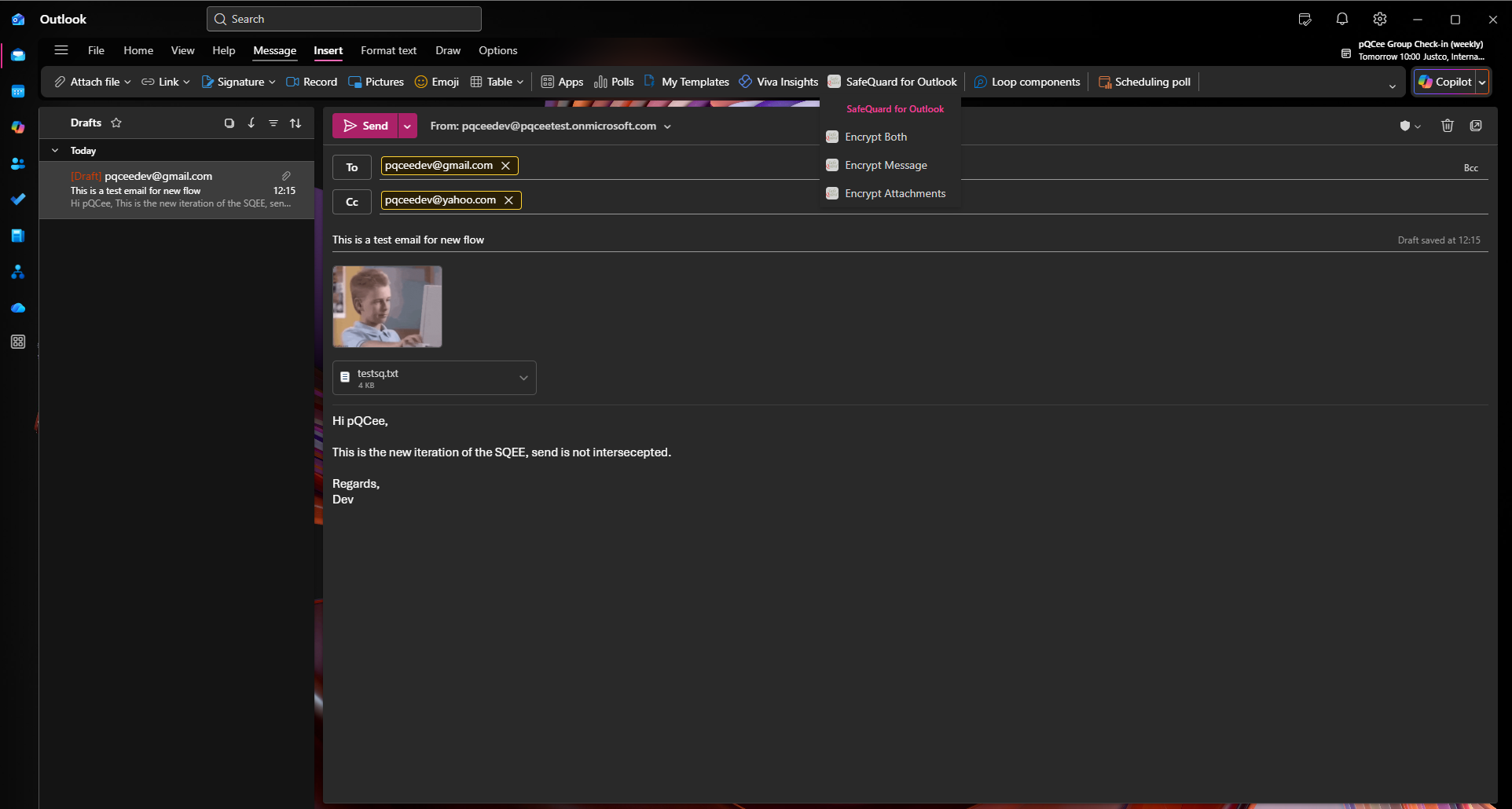
Encrypt Both Attachment and Message Body Button
Encrypt Message Body Button
Encrypt Attachment Button
Replacement of Email Content with Encrypted Version by SafeQuard
Warning
Ensure that the email is not edited after encryption, as any modifications may lead to decryption failures.
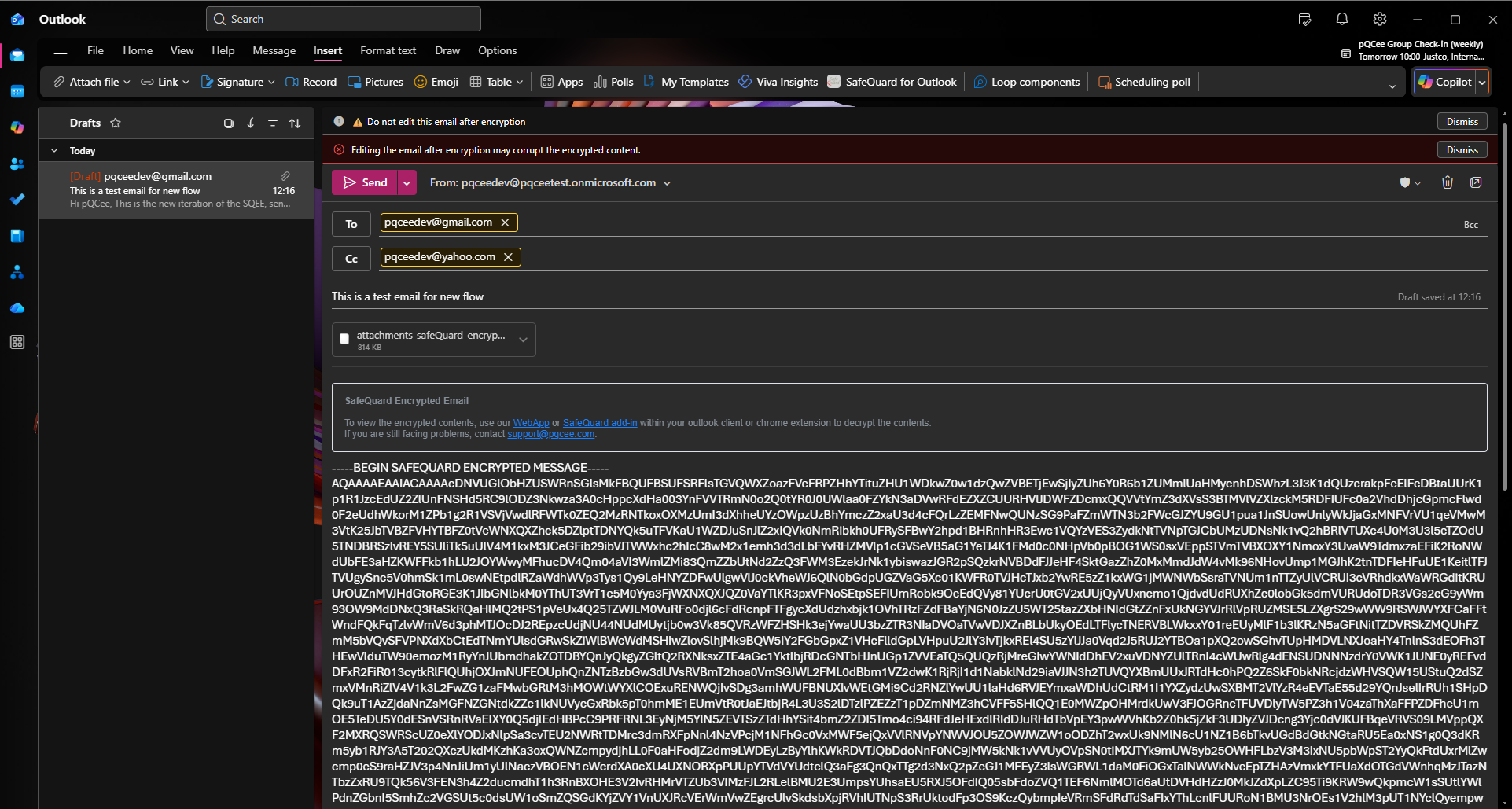
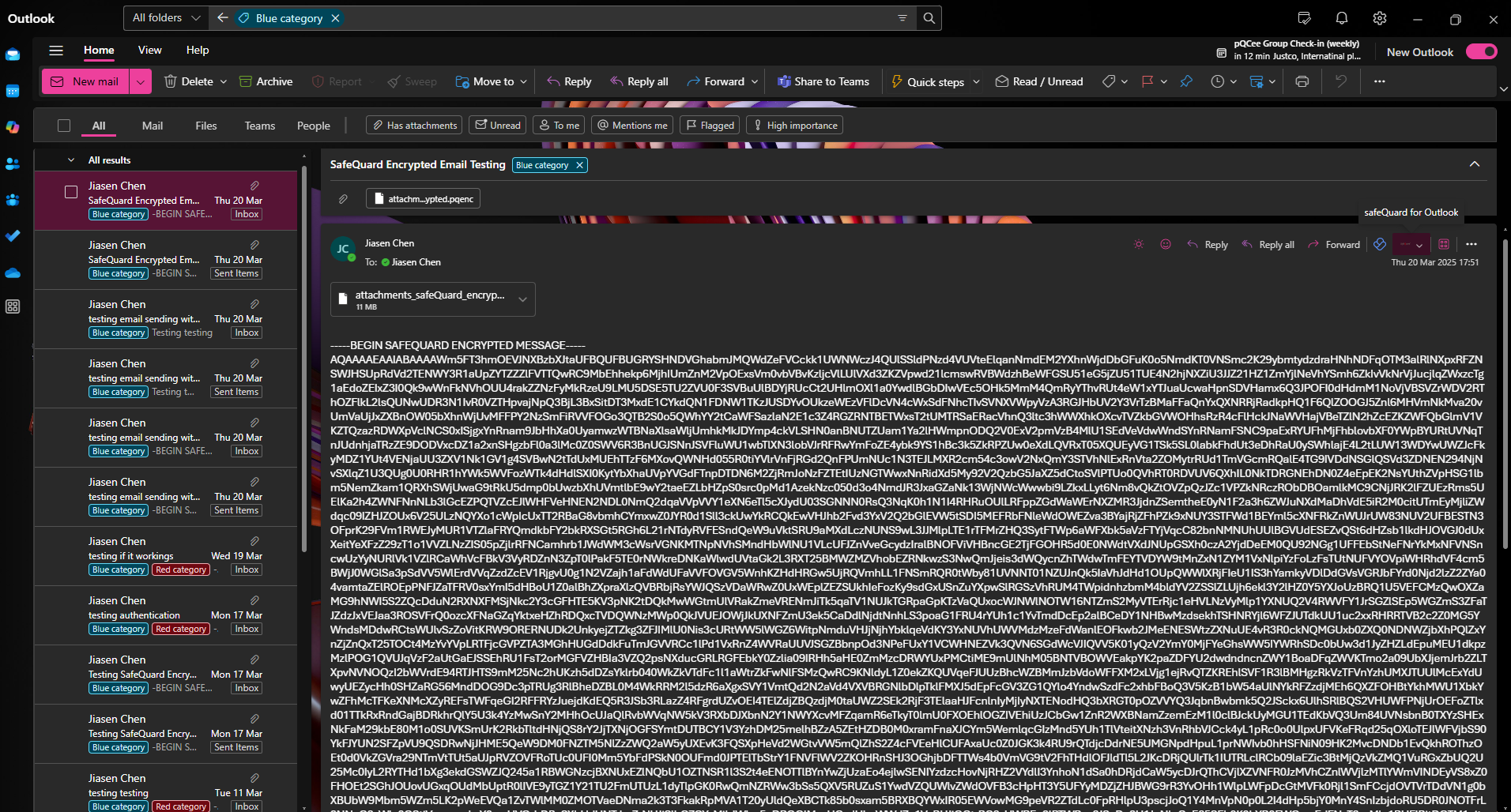
Above shows an example of an email where both the message body and attachment have been encrypted.
Email can now be sent as usual.
13.2. Decryption
Navigate to your encrypted email
Open the email and click on the SafeQuard for Email add-in
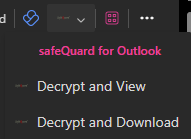
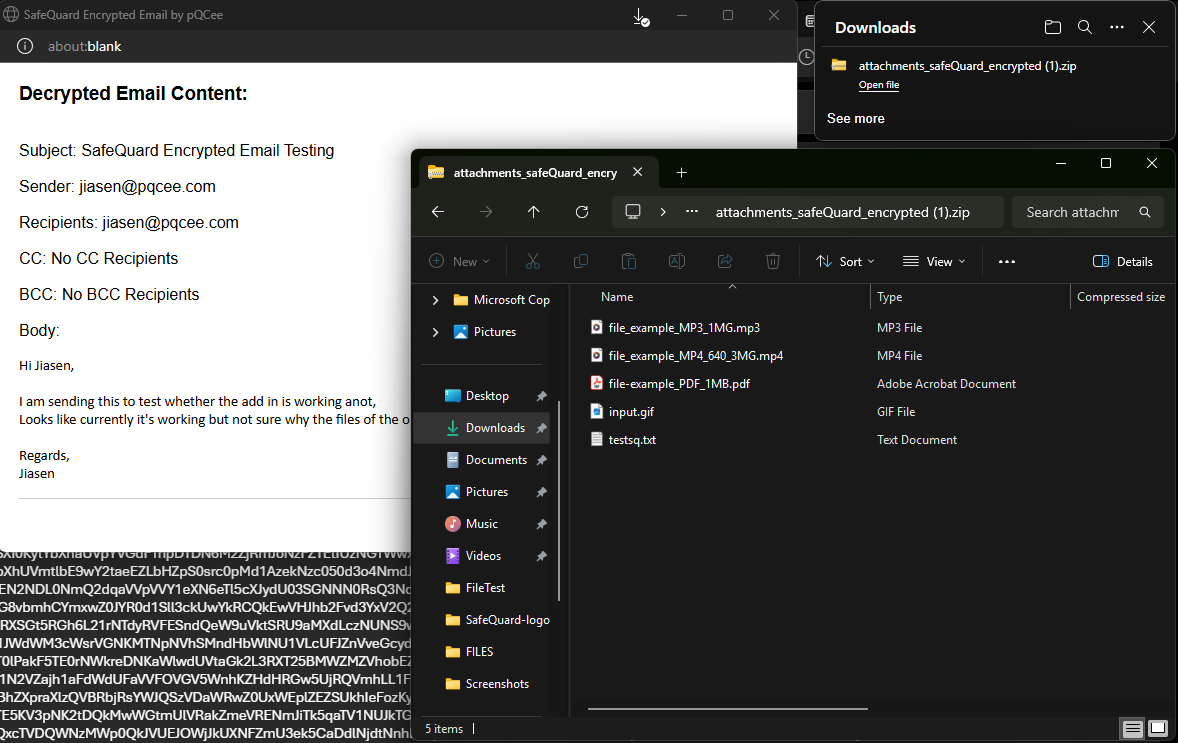
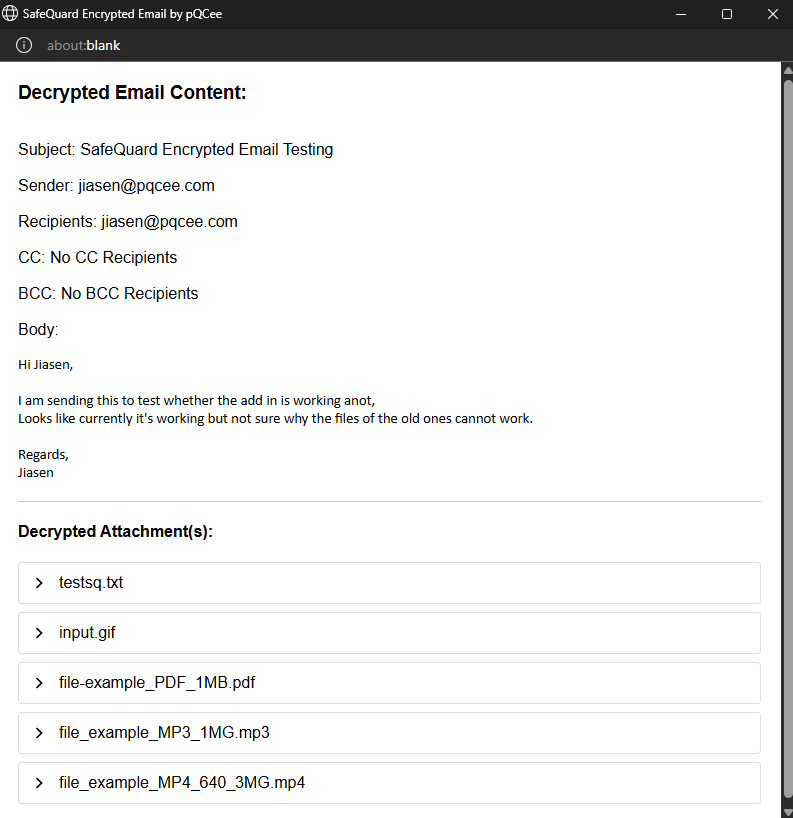
Decrypt the email
Decrypt and View
Decrypt and Download