Exploring Tools and Features
This section provides a detailed guide to PacketQC’s additional tools and features, helping users explore and make full use of the application’s functionality.
- In This Section
Using The Dashboard
The PacketQC Dashboard provides an overview of network security through charts showing network traffic, security levels, and quantum readiness.
The dashboard presents the following key insights:
Security Overview and Network Traffic Security (Top 50) summarise the network’s quantum security posture by showing the distribution of connections based on security levels.
Network Traffic Graph (Top 50) shows which devices communicate with each other and the network protocols used for these connections.
Network Quantum Readiness tracks quantum-safe readiness over the last 12 months, providing visibility into the network’s post-quantum security progress. This chart is shown after you log in.
The two Top 50 charts show the 50 connections that carried the most data.
To access the Dashboard:
Click DASHBOARD ① in the navigation bar.
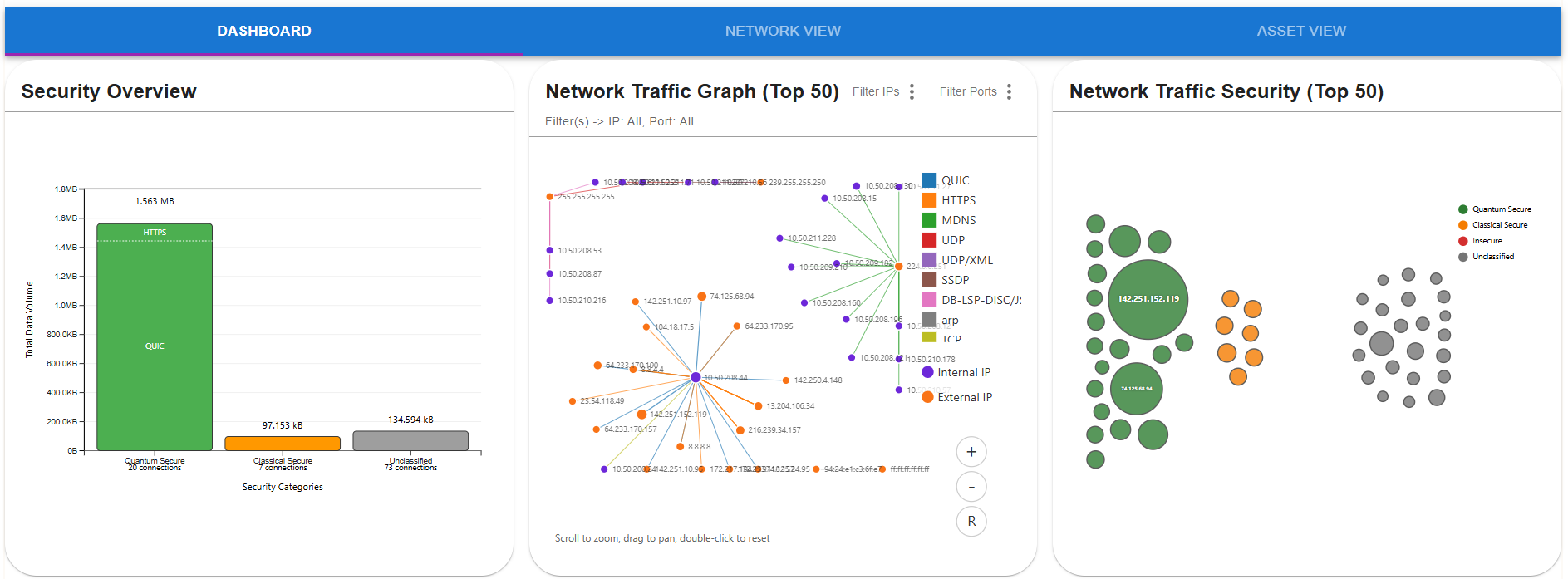
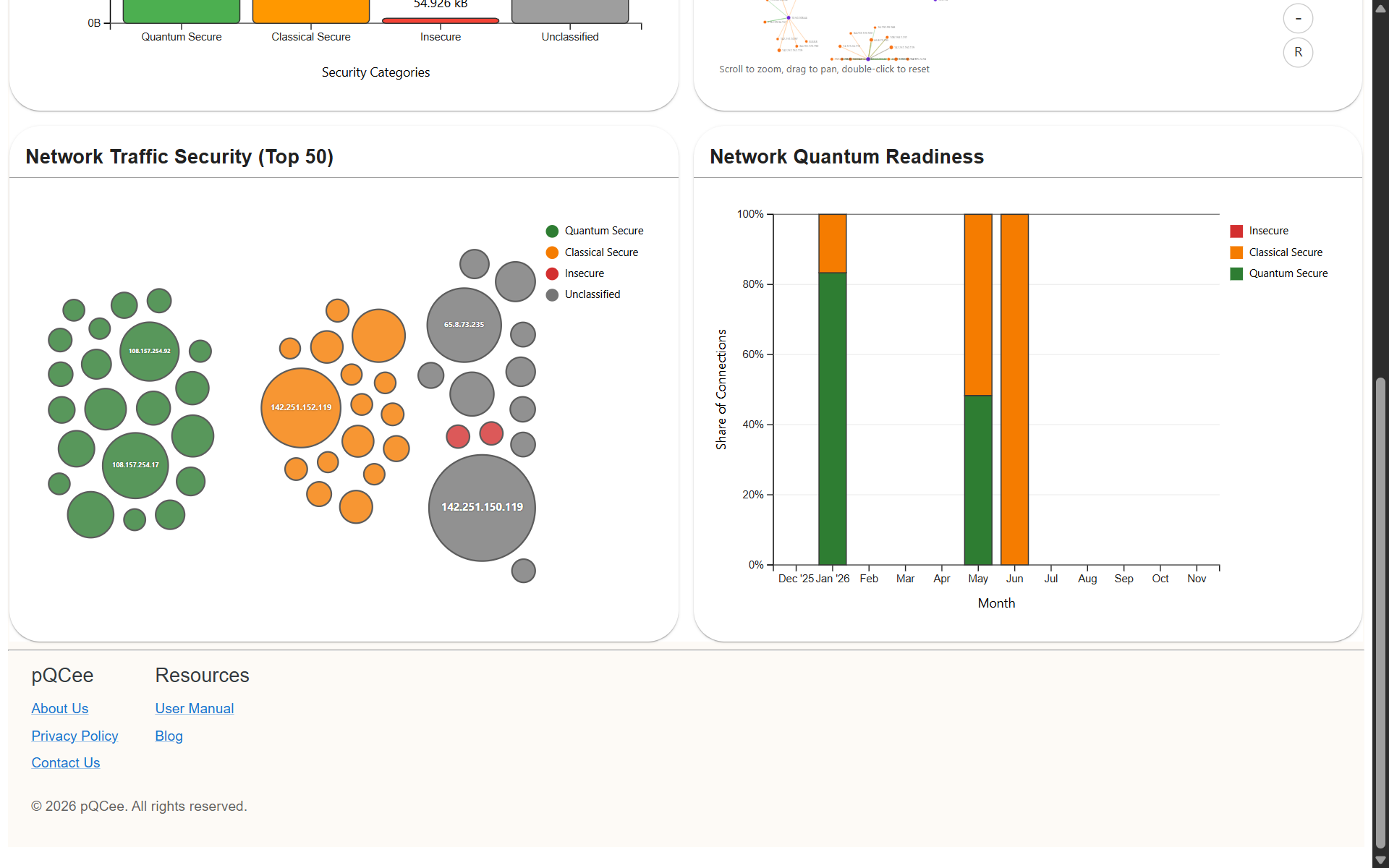
Fig. 22 Dashboard view
Generating A Network CBOM
A Network Cryptographic Bill of Materials (CBOM) provides an inventory of cryptographic mechanisms identified from uploaded PCAP or PCAPNG files. PacketQC generates this CBOM by analysing these files and recording the cryptographic mechanisms used across discovered network connections.
The Network CBOM is generated in JSON format, following the CycloneDX standard (version 1.6). Users can download the file to review the discovered cryptographic components and their associated network connections.
The Network CBOM contains:
Protocols: An entry for each TLS, SSH and IPsec connection, with the protocol, the cipher suites or algorithms used, and the address and port where it was seen.
Algorithms: An entry for each algorithm used, with its cryptographic primitive, such as key agreement or authenticated encryption, and its parameter set, such as the key size or curve.
To download a Network CBOM:
Navigate to NETWORK VIEW ①
Click GENERATE REPORT ②
Click Network CBOM ③
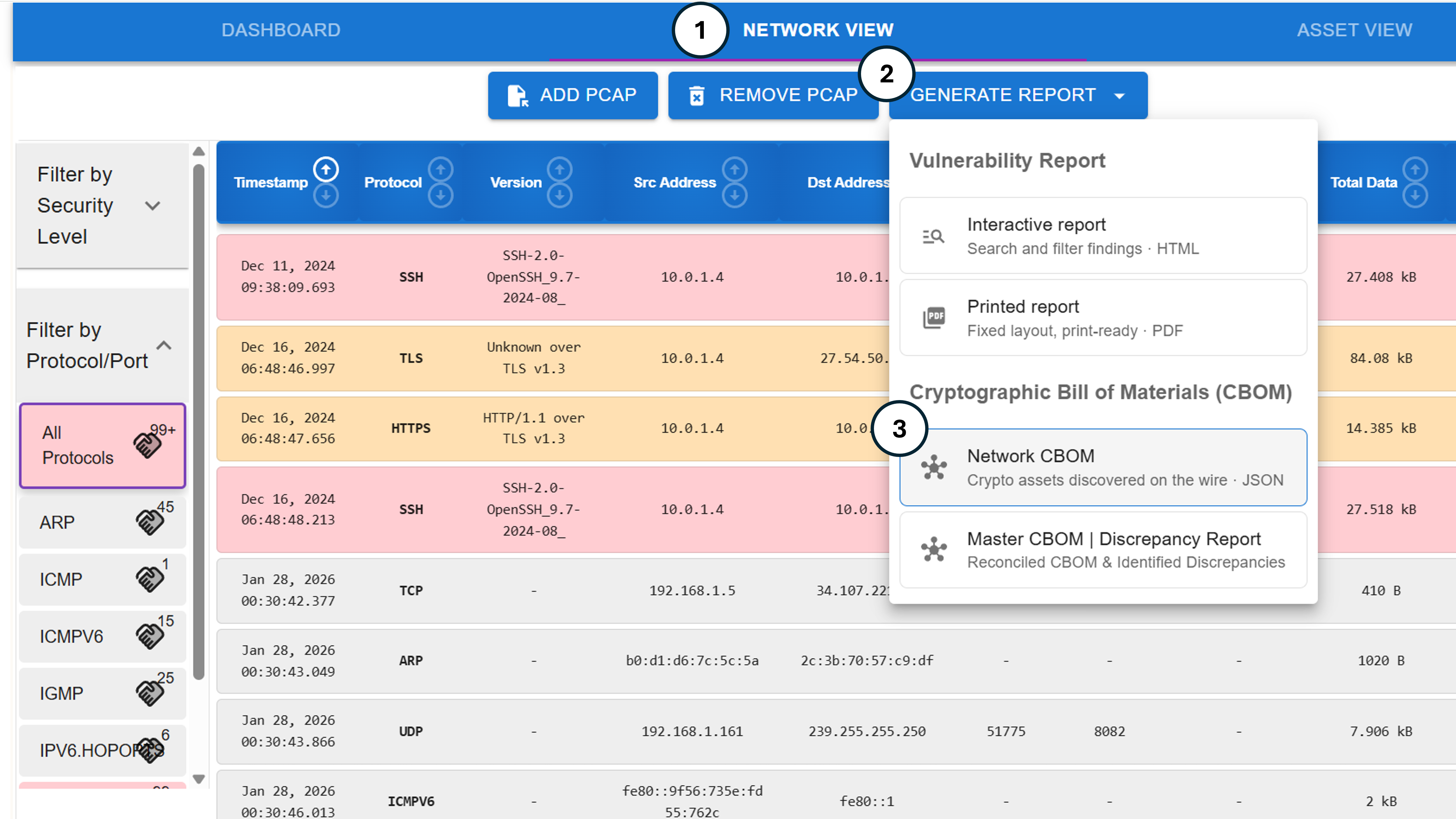
Fig. 23 Downloading a Network CBOM
Generating A Master CBOM
A Master Cryptographic Bill of Materials (CBOM) consolidates cryptographic information from Network CBOMs and CBOMs uploaded to each asset, providing a unified inventory of cryptographic components across the network.
Users can download the Master CBOM to review the consolidated cryptographic inventory, along with a Discrepancy Report highlighting differences between cryptographic mechanisms identified through PCAP analysis and those recorded in uploaded asset CBOMs.
The Discrepancy Report checks the inventory for completeness by comparing two independent sources: the cryptography seen in network traffic, and the cryptography declared in asset CBOMs. It lists:
Unverified cryptographic assets: Declared in an asset CBOM, but not detected in network traffic.
Undeclared cryptographic assets: Detected in network traffic, but not declared in the asset CBOM.
Both are worth investigating. They can point to gaps in the inventory, or to misconfiguration, such as cryptography that software is configured with but never uses, or cryptography in use that is missing from the inventory.
To download a Master CBOM and its Discrepancy Report:
Navigate to NETWORK VIEW ①
Click GENERATE REPORT ②
Click Master CBOM | Discrepancy Report ③
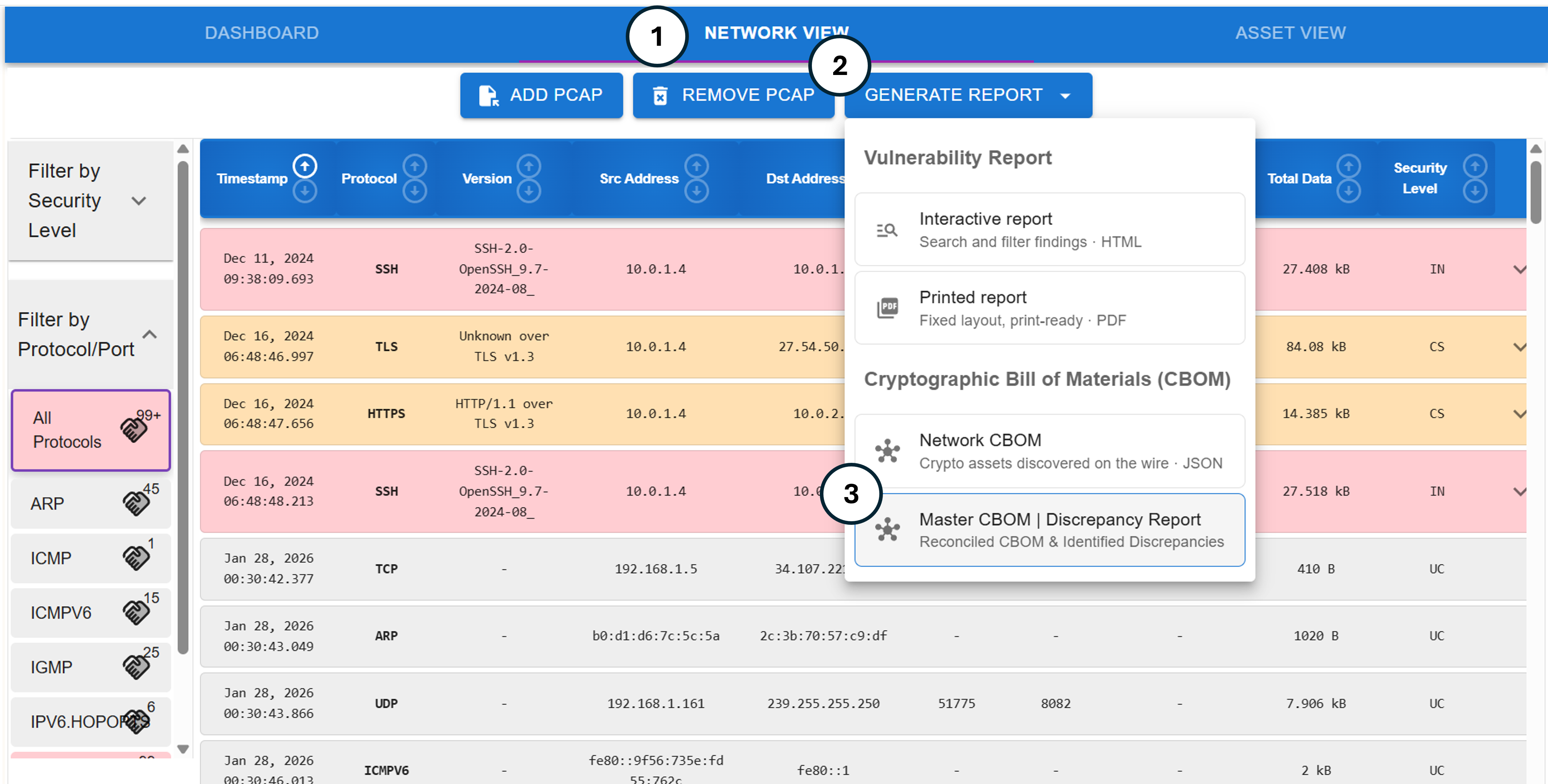
Fig. 24 Downloading a Master CBOM